Einleitung
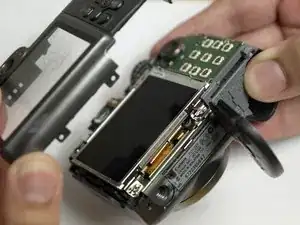
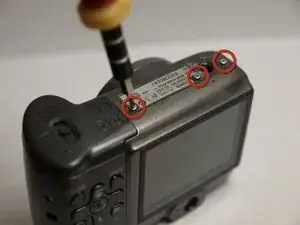
You will remove screws from the bottom and sides of the camera in order to remove the cameras back cover.
Werkzeuge


-
-
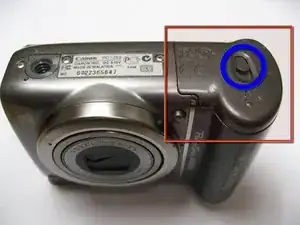
The battery hatch is on the bottom of the camera.
-
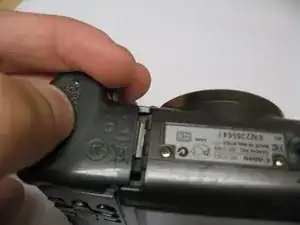
While the switch is pushed forward, pull the cover away from the camera.
-
-
-
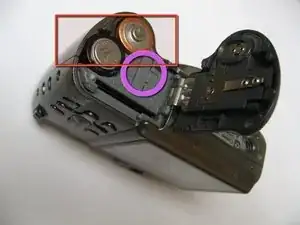
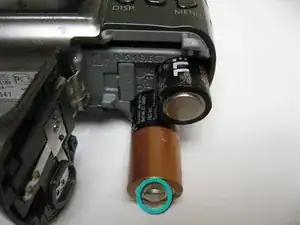
This camera requires AA batteries. To remove batteries, simply allow them to fall out of the camera.
-
The clock battery cover is shown here in the purple circle. Use a fingernail to lift the battery out of the camera.
-
-
-
When replacing the AA batteries, verify they are oriented correctly by following the (+) and (-) signs on the camera.
-
-
-
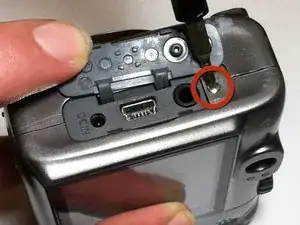
Remove the screw located under the rubber flap on the left side of the camera using a magnetic screwdriver.
-
-
-
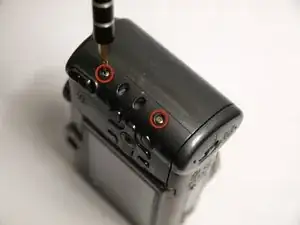
Remove the two screws located on the other side of the camera using a magnetic screwdriver
-
-
-
Open the battery cover.
-
Using the iPod tool, push up gently around all edges of the camera.
-
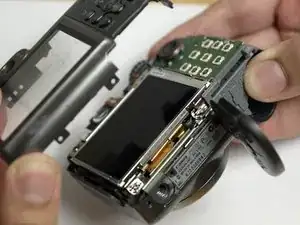
To reassemble your device, follow these instructions in reverse order.

Ein Kommentar
i just wanted to by flap to replace over batteries it slides on and off reedalice270@gm.com
Can the hatch be replaced. The piece that holds the hatch is broken.
alisonbforman46 -
I had this issue for some time and never realized that lithium battery was so easily accessible. Fixed my problem.
Spud Head -