Einleitung

  1. NbaTkRDketyQCabJ
    NbaTkRDketyQCabJ
    WoNcQmVRpfOT26Qe
    JefIuTTcGdUPhXEn
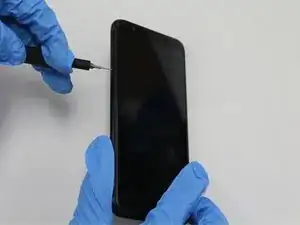
    • Insert a SIM card removal tool or the end of a paperclip into the small hole on the lefthand side of the phone to release the SIM card.

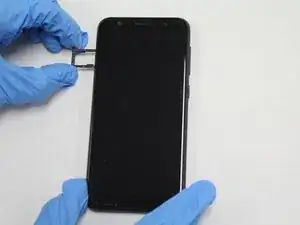
    • Pull out the SIM card tray.

  2. Cl11PdFPK2NFvlKa
    Cl11PdFPK2NFvlKa
    OqPDtSPZ15W1gPWS
    5aLNPFDQHVYQQPCO
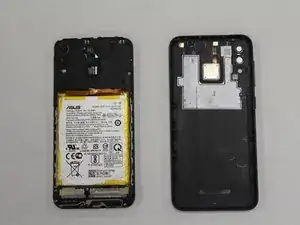
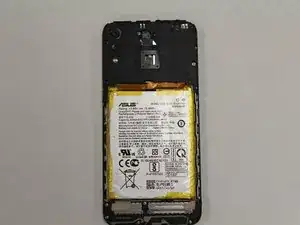
    • It may help to apply heat to the back cover using either a heat gun or an iOpener before starting to remove the cover.

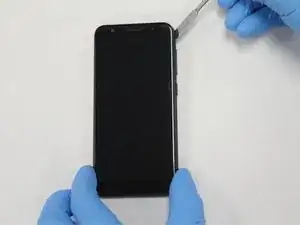
    • Use a plastic opening pick to pry into the crease between the back cover and the midframe of the phone.

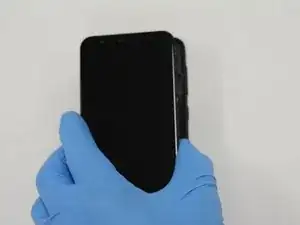
    • Move all the way around the phone until the back cover is separated from the rest of the phone.

    • The images show a metal spudger being used to pry open the back cover. However, this process is not recommended, as it poses a puncture risk to the battery.

  3. OEMCb4SCiYJ35Aer
    OEMCb4SCiYJ35Aer
    VuCK41aJ2BR4m2PK
    ZCbivMRyyKsr2tXR
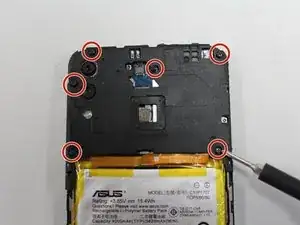
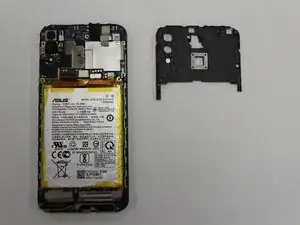
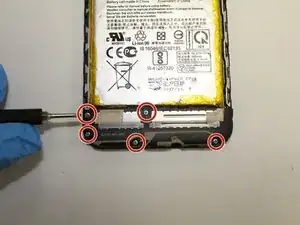
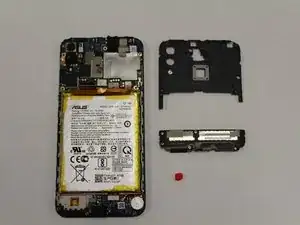
    • Using a Phillips #00 screwdriver, remove the six screws across the top mid frame and gently lift the top assembly piece. It should detach easily and can be set aside.

  4. YKMnUQ2EKtMoSsnM
    YKMnUQ2EKtMoSsnM
    RXl4vmGKhSI5vwUJ
    hSxwpGmh4khyjKLR
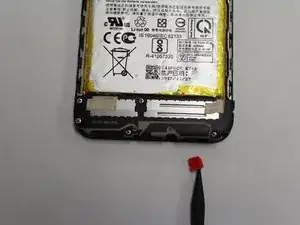
    • Use a plastic opening tool to release the red square that is holding the bottom assembly piece from the frame.

    • Using a Phillips #00 screwdriver, remove the five screws from the bottom midframe.

    • Gently remove the bottom midframe.

  5. svSTQUp1JHXq5yDJ
    svSTQUp1JHXq5yDJ
    PFHQPbD5R4HHBBNY
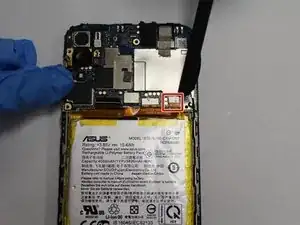
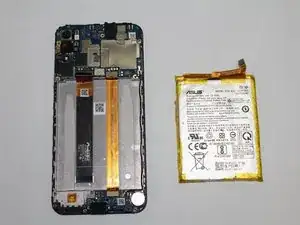
    • Use a halberd spudger to pry up the battery's press fit connector from the motherboard.

    • Gently pry the battery out of the case, taking care not to bend or puncture the battery.

    • It may help to apply a bit of heat through the screen to loosen the battery adhesive.

    Thanks a lot for this Guide, it looks great and full of details!

    I should replace my Zenfone 5 battery, where should i get i new one?

    Thanks Again

    Francesco

    Francesco Campana -

Abschluss

To reassemble your device, follow these instructions in reverse order.

Andrew Michael Finkle

Mitglied seit: 17/09/20

139 Reputation

0 Kommentare