Einleitung
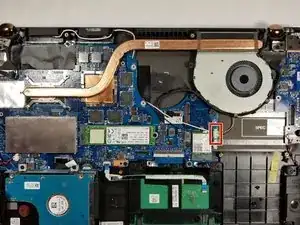
This guide will go over the process of removing and replacing the CPU fan and heat sink assembly.


-
-
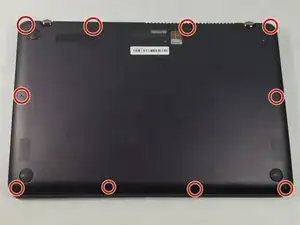
Using a T5 screwdriver, remove all 10 screws located on the underside of the laptop.
-
Pull off the back cover of the laptop.
-
-
-
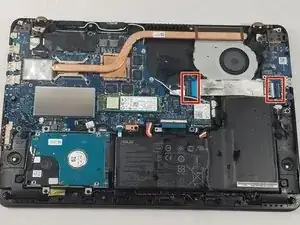
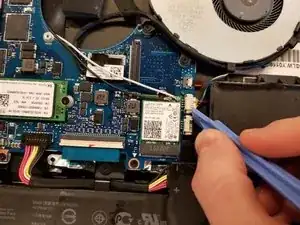
Lift up the black tab next to the silver ribbon cable.
-
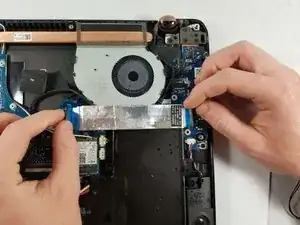
Pull lightly on the blue tabs until the silver cable is free.
-
-
-
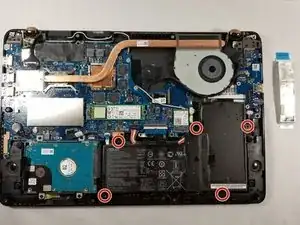
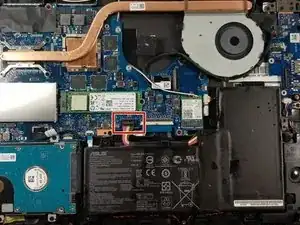
Locate the battery connector.
-
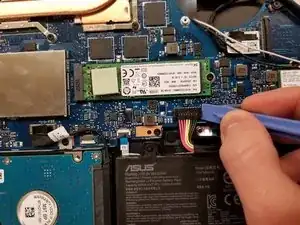
Wedge a pry tool under the battery connector.
-
Gently pull on the connector until it disconnects from the base of the object.
-
Lift the battery out of the computer.
-
-
-
Move the black cable located around the CPU fan out of the holder.
-
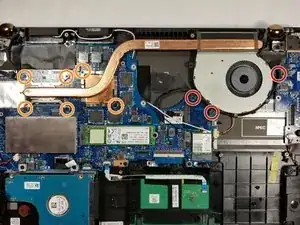
Remove the following 9 screws:
-
Three Phillips screws
-
Six Phillips screws
-
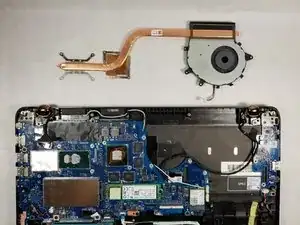
Gently pull vertically on the CPU fan/ heat sink assembly until it is free.
-
To reassemble your device, follow these instructions in reverse order.

Ein Kommentar
Is it possible to replace the fan only without removing the full heatsink or is it fused together as one unit?