Einleitung
The guide is shown to help take apart a Asus Chromebook C202 and replace a dead battery. The steps are very easy to read as well as having pictures to follow along with the guide.


-
-
Remove ten 8 mm Phillips #1 screws from the bottom of the Chromebook using a Phillips #1 screwdriver.
-
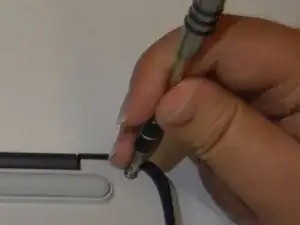
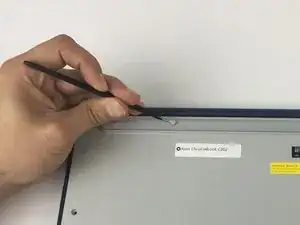
Two of the screws are hidden by rubber caps along the rubber rest of the device. Use tweezers to get them out.
-
-
-
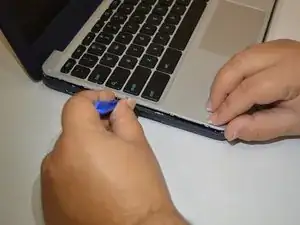
Place the plastic opening tool into the edges between the front of the Chromebook and the back of it with the upper scoop of the opening tool facing upward.
-
Push down on the plastic opening tool to unhinge the top portion of the Chromebook from its lower portion. Opening the Chromebook all the way where the display touches the ground helps in opening up the top edge.
-
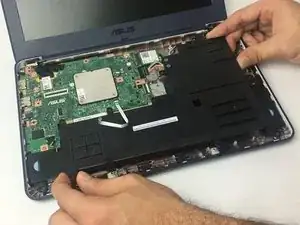
Use your hand to gently lift the top portion of the Chromebook from the bottom portion of it to avoid damaging the ribbon cables.
-
-
-
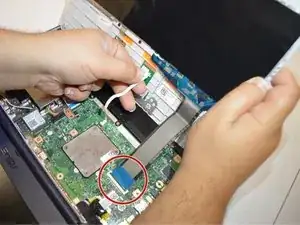
Gently disconnect the ribbon cable connecting the trackpad to the motherboard.
-
Gently disconnect the ribbon cable connecting the keyboard to the motherboard.
-
-
-
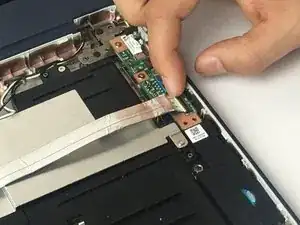
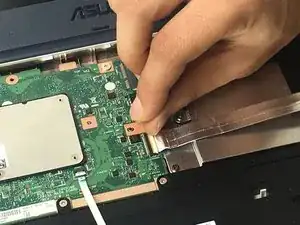
Pull the latch out on both the Input/Output board as well as the motherboard.
-
Gently remove the ribbon cable connecting the I/O board to the motherboard.
-
-
-
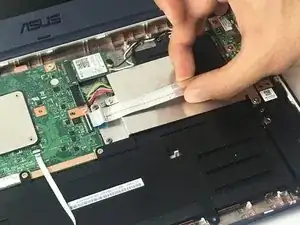
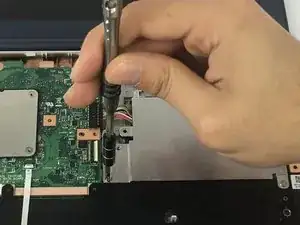
Remove two 4 mm Phillips #1 screws from the metal grate connected to the battery.
-
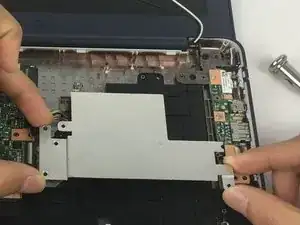
Remove metal grate from battery.
-
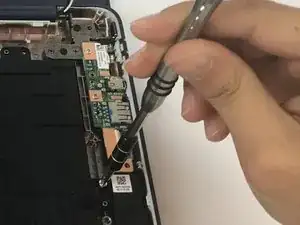
Remove six 4 mm Phillips #1 screws from the battery
-
-
-
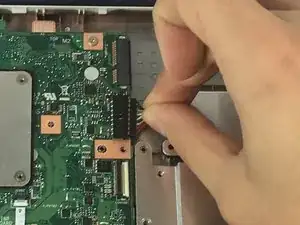
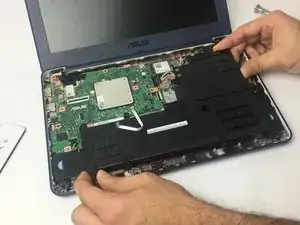
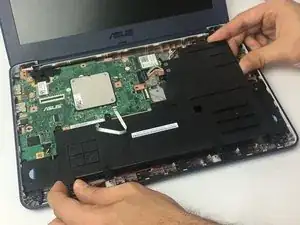
Disconnect the battery from the motherboard.
-
Lift battery from the bottom portion of the Chromebook.
-
To reassemble your device, follow these instructions in reverse order.

Ein Kommentar
Worked great. Was able to order a replacement battery for my daughter’s two year old Chromebook. $39.99 and relatively easy to swap out.