Einleitung
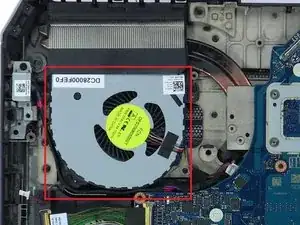
This guide will show you how to replace a cooling fan for an Alienware 17 R2 laptop. Cooling fans are what keep a laptop from overheating. So replacing a broken cooling fan for your laptop is important when it comes to keeping your laptop healthy. You must follow the instructions shown exactly, to avoid damaging any cables and other parts within the laptop.
Werkzeuge

-
-
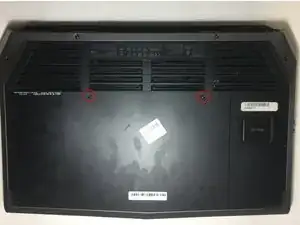
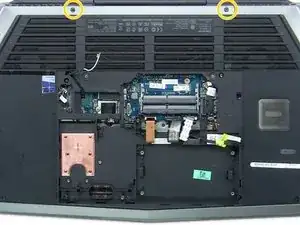
Use the Phillips #0 screwdriver to remove the two 4 mm screws from the back cover.
-
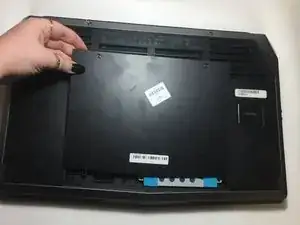
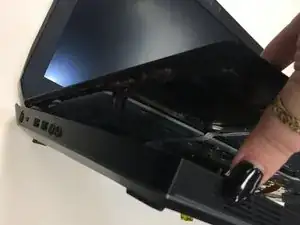
Pull the back cover up and slide off.
-
-
-
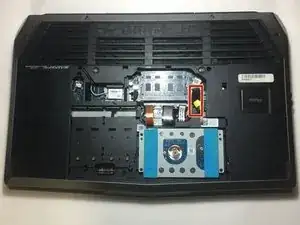
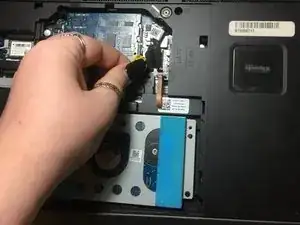
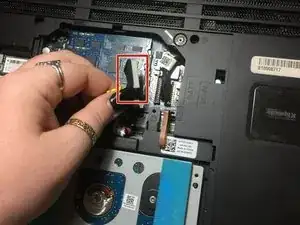
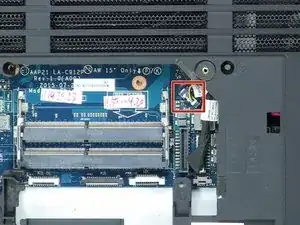
Look for the yellow tab inside the computer.
-
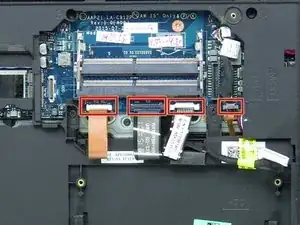
Disconnect the black wire with the yellow tab.
-
-
-
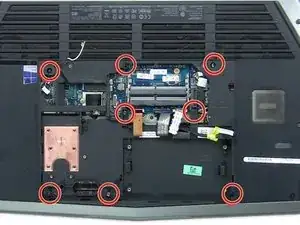
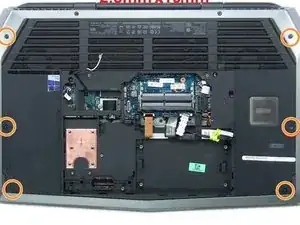
Remove all sixteen of the screws on the underside of the laptop.
-
Eight 2.5mm x 8mm
-
Six 2.5mm x 10mm
-
Two 2.5mm x 18mm
-
-
-
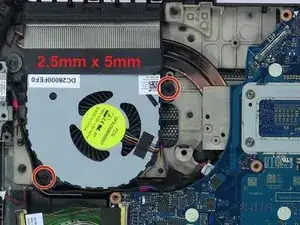
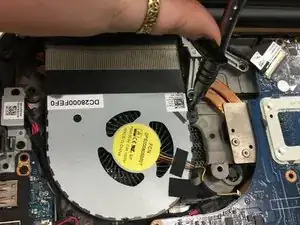
Use a Phillips #0 screwdriver to remove the two 5 mm screws from the fan.
-
Finally, remove the fan from the rest of the laptop.
-
To reassemble your device, follow these instructions in reverse order.
