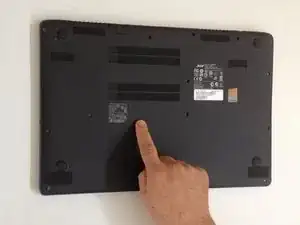
Einleitung
Diese Anleitung zeigt dir, wie du deinen Computer zurücksetzt (simuliert das Entfernen und Wiedereinsetzen des Akkus).
Werkzeuge

-
-
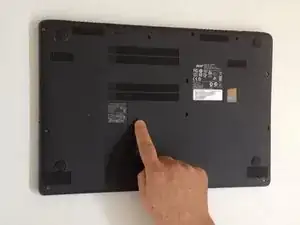
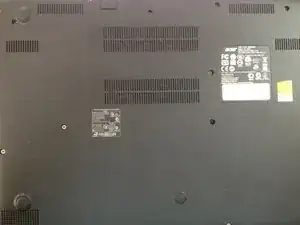
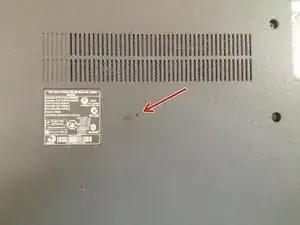
Auf der Unterseite findest du ein kleines Loch in der Verkleidung.
-
Benutze eine Büroklammer und drücke sie in das Loch für etwa 4 Sekunden, um einen Reset durchzuführen.
-
Um dein Gerät wieder zusammenzusetzen, befolge die Anleitung in umgekehrter Reihenfolge.

34 Kommentare
Yep-it worked exactly as suggested. Sharp end of a small safety pin and bobs your uncle.
Thanks again. Was worried that it could be something worse.
Russ
Its not working on my laptop Acer aspire S3.. I press it in 4 second but its not gonna work.
What can I do to fix it?
Ok, it works perfectly..., thank you to your suggest.
My Acer Aspire ES1-512-C08J, did not accept anythink from keyboard to input password at start of windows 10, but in Bios setup did it works.
No solutions to change keyboard, or reset bios to default configuration, but only when i pushed in the pinhole reset switch battery on back laptop, while laptop was on, and it immediatly drops down switch off, and when i restart laptop from normal push button power on, all works another time ok.....
Sorry for my bad english...
Is this for recalibrating laptop battery? Do I need to switch off the laptop?
danelhakim -
Hi
I have accidentally clicked on it couple of time and started the laptop for few times and as i take the plug off the computer shut down all the time .
what to do
Line Soldier -
Done the pinhole truck.. now it's not turning on 😩
Amanda Cheyenne Starr -