Einleitung

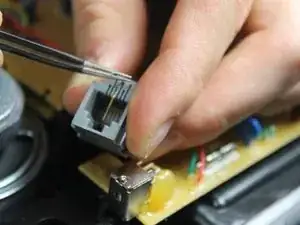
Over time and repeated use, the internal phone jack of the ATT CL2940 may become damaged, which can cause bad connections between the phone and the handset. Replacing the defective internal phone jack will solve this problem.

  1. TkrvmhM5T2HRKSb5
    TkrvmhM5T2HRKSb5
    A5nSAkjP2NfHs4yK
    xhVxGOoEkjWjiOww
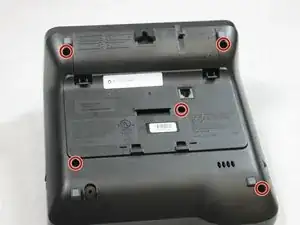
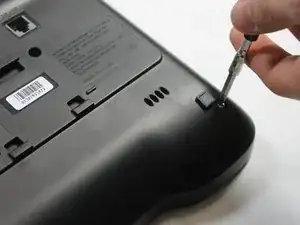
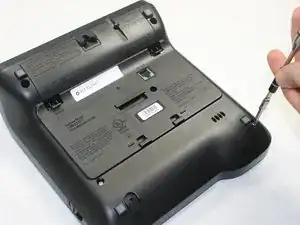
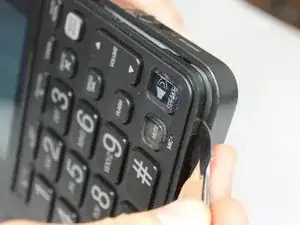
    • Remove five 9.5 mm Phillips #1 screws from the back panel of the phone.

  2. UFGjamdGKS2tX5Lb
    UFGjamdGKS2tX5Lb
    JxFg3uZ1beBdoQDk
    X2ZPG1feZ2dZeUfs
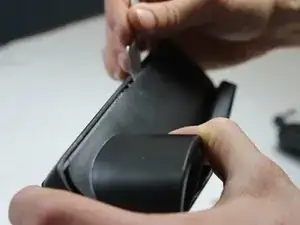
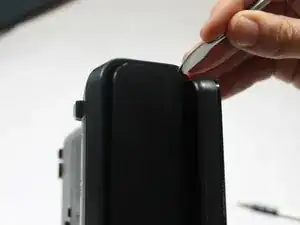
    • Slide the metal spudger into the crack and continue around to the front panel of the phone.

    • Be careful not to break the clips that hold the back panel to the front panel.

  3. UPJdLAAOFnWjEROa
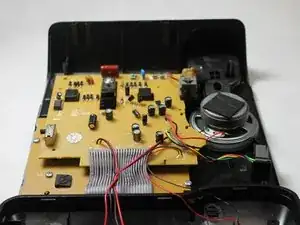
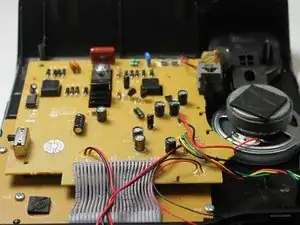
    • When setting the back panel down, be careful to not rip any of the wires off of the internal components.

  4. gmMKxZsDPtRIUuGX
    gmMKxZsDPtRIUuGX
    3Xry6LAZg4uBWLwJ
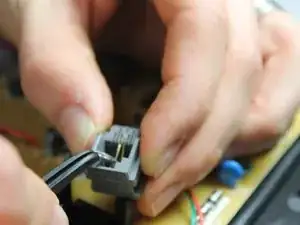
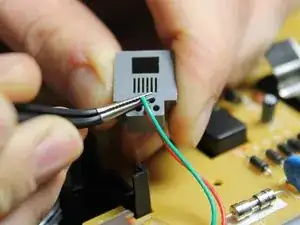
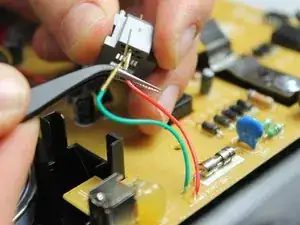
    • Using the precision tweezers, bend the golden tips of the green and red wires upward.

    • The wires are pulled out from two of the six holes. Make sure you remember which holes you pulled the wires out from.

    • Bend the wires slowly and gently to avoid breaking them.

  5. Vx15HEgqkTP111cg
    Vx15HEgqkTP111cg
    A5odojfnOMbOOugY
    C5GMgETtymTaQgQU
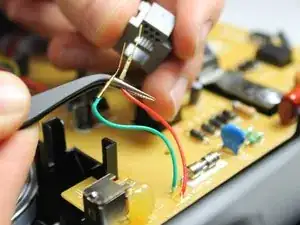
    • After bending the golden wire tips, pull the wires out from the back side of the phone jack.

Abschluss

To reassemble your device, follow these instructions in reverse order.

Noor Assaf

Mitglied seit: 15/02/16

306 Reputation

0 Kommentare